Can People See If You Screenshot a TikTok Story?
Can People See If You Screenshot a TikTok Story?
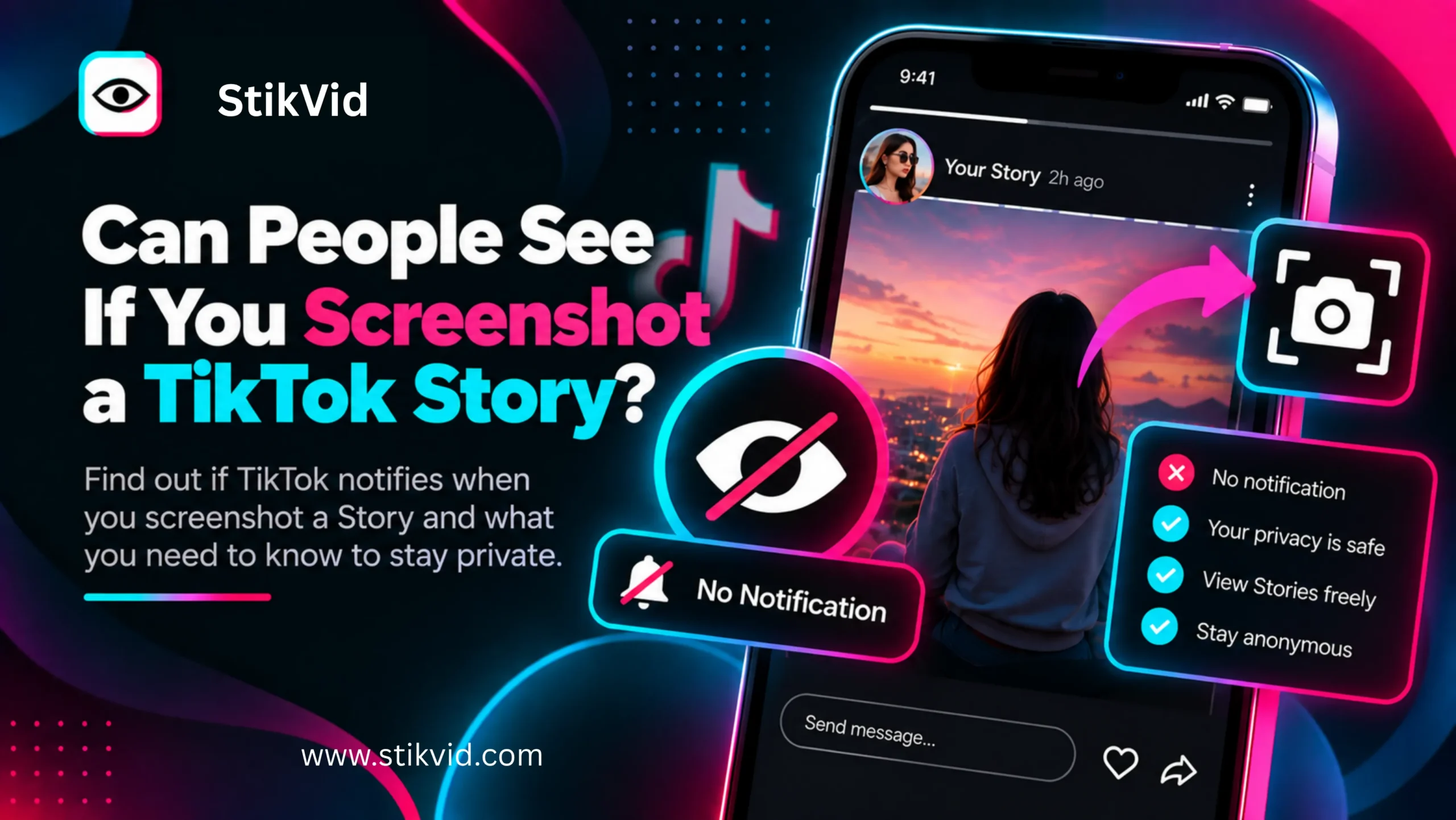
Wondering whether someone can tell if you screenshot their TikTok Story? TikTok does not currently notify a creator when someone takes a screenshot of their Story. This is different from simply viewing a Story, because the creator may be able to see that you viewed the Story even though TikTok does not provide a screenshot notification. This guide explains what happens when you screenshot or screen-record a TikTok Story, whether the creator can see it, and how screenshots differ from Story views, downloads, and other interactions.
Can People See If You Screenshot a TikTok Story?
No, TikTok does not currently notify the creator when you screenshot their Story.
If you take a normal screenshot while viewing a TikTok Story, TikTok does not send the Story creator a notification saying that you captured the screen.
Current reporting on TikTok’s screenshot behavior also indicates that TikTok does not notify creators when someone screenshots or screen-records their content.
However, this does not mean that your entire interaction with the Story is invisible.
TikTok Stories have their own viewing behavior. TikTok says Stories are available for 24 hours and viewers can interact with them through replies and other actions.
So there is an important difference:
- Viewing a Story: Your view may be visible to the creator.
- Screenshotting a Story: TikTok does not currently send a screenshot notification.
- Screen recording a Story: TikTok does not currently send a screenshot-style notification.
- Liking or replying: These are separate interactions that can be visible to the creator.
In short: TikTok does not currently tell someone that you screenshot their Story, but that does not necessarily hide the fact that you viewed it.
Does TikTok Notify Someone When You Screenshot Their Story?
No. There is currently no standard TikTok notification that tells a creator someone took a screenshot of their Story.
TikTok’s current Help Center information about Stories explains how Stories work and how people can watch and interact with them, but it does not list a screenshot notification feature.
This is important because some social platforms have used screenshot notifications for disappearing content, which can create confusion about how TikTok works.
TikTok’s current behavior is different.
That said, app features can change. A future TikTok update could introduce new screenshot-related privacy controls or notifications.
In short: As of now, taking a screenshot of a TikTok Story does not trigger a notification to the creator.
Can Someone See That You Viewed Their TikTok Story?
This is a different question from screenshot detection.
TikTok Stories are designed around temporary viewing, and TikTok provides Story-related viewing and interaction features. Stories are available for 24 hours.
Therefore, you should not assume that taking a screenshot makes your Story view disappear.
For example, this situation is possible:
- You open someone’s TikTok Story.
- TikTok registers your Story view.
- You take a screenshot.
- TikTok does not send a screenshot notification.
The screenshot itself is not what makes the view visible.
In short: Screenshot notifications and Story-view visibility are separate things.
Does TikTok Tell Someone If You Screen Record Their Story?
TikTok does not currently provide a notification telling the creator that you screen-recorded their Story.
Current reporting on TikTok’s screenshot and screen-recording behavior says that creators are not notified when their content is captured this way.
However, screen recording is different from downloading a video through TikTok or a third-party service.
A screen recording simply captures what appears on your device’s screen. It may also include interface elements, overlays, or other visual information that appears during playback.
In short: TikTok currently does not send a standard screen-recording notification for Stories.
Can Someone See If You Screenshot a TikTok Story on iPhone?
No, TikTok does not currently send the Story creator a screenshot notification when you take a normal screenshot on an iPhone.
The screenshot is stored on your device according to your iPhone’s normal screenshot behavior.
The important distinction is that TikTok may know you viewed the Story through its normal platform functionality, but it does not currently tell the creator that you captured a screenshot.
In short: iPhone screenshots of TikTok Stories do not currently trigger a creator notification.
Can Someone See If You Screenshot a TikTok Story on Android?
The same general principle applies on Android.
Taking a standard Android screenshot of a TikTok Story does not currently generate a TikTok notification telling the creator that you captured it.
Android versions can have different screenshot features, but the important point is TikTok’s own notification behavior rather than the phone’s screenshot interface.
In short: Android screenshots do not currently cause TikTok to notify the Story creator.
Does TikTok Notify Screenshots of TikTok Videos?
Current reporting indicates that TikTok does not notify creators when someone screenshots or screen-records their videos.
This is separate from TikTok’s download settings.
A creator can control whether their videos are available for certain download options, but preventing downloads does not necessarily prevent someone from capturing what is displayed on a screen.
In short: TikTok does not currently provide a general screenshot notification for regular video content either.
Does TikTok Notify Screenshots of a TikTok Profile?
TikTok does not currently send a general notification simply because someone screenshots a profile.
However, profile visits are a separate feature.
TikTok has a Profile View History feature, so screenshotting a profile and visiting a profile should not be treated as the same thing.
If you are specifically concerned about profile visits, see:
Can Someone See If You View Their TikTok Profile?
In short: A screenshot itself is not the same as a profile visit, and TikTok’s Profile View History is a separate feature.
Does TikTok Notify Screenshots of TikTok Messages?
TikTok’s screenshot behavior can be discussed separately from Stories, videos, and profiles because messaging features can change independently.
Do not assume that the behavior of every TikTok feature will always be identical.
For ordinary TikTok content, current reporting says TikTok does not notify users when someone takes a screenshot or screen recording.
If TikTok introduces a screenshot notification for a specific messaging feature in the future, that could be different from Story behavior.
In short: Screenshot rules should be considered feature-specific rather than assuming every TikTok interaction works identically.
Can Someone Know You Screenshot Their TikTok Story?
They cannot currently receive a standard TikTok notification saying that you took a screenshot.
However, they could potentially know that you saw the Story through TikTok’s normal Story-view functionality.
They could also find out indirectly if you:
- Send the screenshot to them.
- Post the screenshot somewhere.
- Mention something from the screenshot.
- Share it with another person who tells them.
- Repost the captured content publicly.
So there is a difference between TikTok technically notifying someone and someone discovering that you captured the content through another method.
In short: TikTok does not currently reveal the screenshot through a notification, but screenshots can still be shared or discovered outside TikTok.
Does Screenshotting a TikTok Story Make You Anonymous?
No.
A screenshot does not make your Story visit anonymous.
If you opened the Story through your TikTok account, your viewing activity and screenshot action are separate events.
TikTok’s current features include Story viewing and Profile View History, among other forms of activity tracking.
Taking a screenshot does not erase or hide other activity associated with your account.
In short: Screenshotting a Story is not an anonymity feature.
Can a TikTok Story Viewer See Who Screenshotted a Story?
No.
A legitimate Story viewer should not claim that it can reveal a list of people who took screenshots unless TikTok itself provides such information.
TikTok does not currently provide a standard public list showing who screenshotted a Story.
A third-party website also cannot legitimately turn an unavailable screenshot list into something it can reliably display.
In short: There is no normal TikTok screenshot list that a third-party Story viewer can simply reveal.
Can You See Who Screenshot Your TikTok Story?
At present, TikTok does not provide creators with a standard screenshot-visitor list for Stories.
You may be able to see information related to Story viewers and interactions, but that is not the same as seeing who captured screenshots.
Do not confuse:
- Story viewers.
- Screenshotters.
- People who downloaded content.
- People who screen-recorded content.
- People who shared content.
These are different actions.
In short: You can have Story-view information without having a list of people who screenshotted the Story.
Does TikTok Tell Someone If You Screenshot a Story More Than Once?
No standard screenshot notification is currently sent simply because you take one screenshot or multiple screenshots.
Taking several screenshots does not create a normal TikTok alert to the Story creator.
However, repeated viewing or other interactions are separate from screenshot detection.
In short: Multiple screenshots do not currently create a TikTok screenshot notification.
Does TikTok Notify Someone If You Screenshot a TikTok Story From a Private Account?
TikTok does not currently send a standard screenshot notification simply because you capture a Story from an account you are authorized to view.
However, private-account content is restricted by the creator’s privacy settings.
A private account controls who can follow and access its content. A screenshot notification and privacy access are separate issues.
You should not use screenshotting or a third-party tool to bypass a private account’s restrictions.
In short: Screenshot notifications do not override private-account privacy controls.
Can You Screenshot a TikTok Story Without the Person Knowing?
If by “knowing” you mean receiving a TikTok screenshot notification, the answer is currently yes: TikTok does not notify the creator when you screenshot a Story.
But if you mean whether the person can know that you viewed their Story, that is a different question.
Your Story view can be visible through TikTok’s normal Story functionality even though the screenshot itself is not reported.
In short: No screenshot notification does not mean no Story-view information.
What Happens When You Screenshot a TikTok Story?
The basic process is straightforward.
When a Story is displayed on your phone:
- You open the Story.
- The Story appears on your screen.
- You use your phone’s normal screenshot function.
- The screenshot is saved to your device.
- TikTok does not currently send the creator a screenshot notification.
The screenshot can then be accessed through your device’s Photos or Gallery application.
The creator does not receive a standard TikTok alert simply because the screenshot was taken.
In short: The screenshot is saved locally, while TikTok does not currently report the screenshot to the Story creator.
Can You Screenshot a TikTok Story Without Downloading It?
Yes.
A screenshot and a download are different ways of capturing content.
A screenshot captures the image currently displayed on your screen.
A download retrieves a media file through a supported download mechanism.
For a video Story, a screenshot captures a still image rather than the complete video.
If you want the entire video, you would need a supported video-saving method instead.
In short: Screenshots save a still image; downloads can provide a media file when downloading is supported.
Is It Better to Screenshot or Download a TikTok Story?
It depends on what you want to save.
Screenshot
A screenshot is useful when:
- You only need one frame.
- The Story is mainly an image.
- You want a quick reference.
- You do not need the original video file.
Download
A supported download may be more useful when:
- You want the full video.
- You want to keep the media for later.
- The content is available through a legitimate download option.
- You need the actual media file rather than a screen capture.
For your own content, keeping the original photo or video is generally better than either method.
In short: Use screenshots for quick still images and legitimate downloads when you need the complete media.
Does Screenshotting a TikTok Story Affect the Story View?
Taking a screenshot does not erase the fact that you opened the Story.
The screenshot and Story view are separate actions.
TikTok says Stories are available to watch for 24 hours, and viewing them is part of the Story experience.
Therefore, if your concern is whether taking a screenshot prevents the creator from knowing that you watched the Story, you should not assume that it does.
In short: A screenshot does not function as a way to remove or hide a Story view.
Can You Screenshot an Expired TikTok Story?
You cannot normally screenshot a Story that is no longer available to you.
TikTok says Stories are available for 24 hours.
Once a Story expires, it may no longer appear as an active Story for viewers.
If you already took a screenshot before expiration, that screenshot remains on your device unless you delete it.
In short: Screenshot the Story while it is available if you need a personal copy.
Can Someone Screenshot Your TikTok Story?
Yes.
You generally cannot prevent someone from using their phone or another device to capture publicly displayed content.
TikTok’s current screenshot behavior does not provide creators with a standard screenshot notification.
This is one reason creators should consider carefully what they publish publicly.
If something is sensitive or highly private, limiting the audience through TikTok’s privacy controls may be more appropriate than relying on screenshot detection.
In short: You cannot assume that a TikTok Story can be protected from screenshots simply because TikTok does not provide a screenshot notification.
How Can You Protect Your TikTok Story From Screenshots?
There is no reliable way to prevent someone from photographing or capturing content that they can already see on a screen.
You can, however, reduce exposure by controlling who can access your content.
Consider:
- Using appropriate account privacy settings.
- Reviewing Story visibility options.
- Avoiding sensitive personal information.
- Thinking carefully before publishing private images.
- Removing content you no longer want available when appropriate.
A private account can give you greater control over who follows and views your content, but it cannot guarantee that an authorized viewer will never capture what they see.
In short: Privacy controls reduce exposure, but no online Story should be treated as impossible to capture.
Is Screenshotting a TikTok Story Legal?
Taking a screenshot is not automatically the same as having permission to publish or reuse the captured content.
Copyright can apply to original videos, photographs, graphics, music, and other creative works.
TikTok’s Intellectual Property Policy explains that users are responsible for respecting intellectual property rights.
If you screenshot another person’s Story, consider what you intend to do with the image afterward.
Keeping a personal reference is different from:
- Reposting it.
- Selling it.
- Using it commercially.
- Claiming it as your own.
- Publishing it without permission.
Copyright laws vary by country and situation.
In short: The absence of a screenshot notification does not mean the captured content is free to reuse.
Can You Repost a Screenshot of Someone’s TikTok Story?
Not automatically.
A screenshot does not transfer ownership of the original content to you.
If you want to repost someone else’s Story screenshot, consider whether you have permission or another valid legal basis for doing so.
Giving credit can identify the original creator, but credit alone does not necessarily provide copyright permission.
In short: Screenshotting content and having permission to republish it are two different things.
Is Screenshotting a TikTok Story Anonymous?
It depends on what you mean by anonymous.
From the screenshot-notification perspective: TikTok does not currently notify the creator that you took the screenshot.
From the Story-view perspective: Opening the Story can still create a normal Story-view interaction.
From the technical perspective: TikTok and third-party services can process information according to their respective systems and privacy policies.
Therefore, it is more accurate to say that TikTok currently does not report Story screenshots to creators than to promise complete anonymity.
In short: No screenshot notification is not the same as complete anonymity.
TikTok Screenshot vs. TikTok Story View
These actions are easy to confuse.
| Action | What it means |
|---|---|
| View a Story | You watched the Story |
| Screenshot a Story | You captured a still image of what was displayed |
| Screen record a Story | You recorded what appeared on your screen |
| Download a Story | You obtained a media file through a download method |
| Reply to a Story | You sent a response to the creator |
| Like a Story | You interacted with the Story |
The important point is that screenshot detection and Story-view tracking are not the same feature.
TikTok’s current Help Center documents Story viewing separately from other viewing and interaction features.
In short: A Story screenshot is a capture action, while a Story view is an interaction with the Story itself.
Does StikVid Tell Someone You Screenshot a TikTok Story?
No.
StikVid does not provide a system that sends a TikTok creator a notification when you take a screenshot.
However, StikVid should not be described as a way to guarantee complete anonymity across every technical system.
The site is intended for supported public TikTok content, and its availability depends on the content and current technical environment.
In short: A screenshot taken while viewing supported content through a browser does not create a TikTok screenshot notification.
Frequently Asked Questions
Can people see if you screenshot a TikTok Story?
No. TikTok does not currently notify the creator when you screenshot their Story.
Does TikTok notify screenshots of Stories?
No standard screenshot notification is currently provided for TikTok Stories.
Can someone see if you screen record their TikTok Story?
TikTok does not currently send a standard notification when someone screen-records TikTok content.
Can someone see that I viewed their TikTok Story?
Story viewing and screenshot detection are separate. A creator may be able to see Story-view information even though TikTok does not report screenshots.
Does TikTok notify screenshots of videos?
Current reporting indicates that TikTok does not notify creators when someone screenshots or screen-records their videos.
Does TikTok notify screenshots of profiles?
TikTok does not currently provide a standard screenshot notification for profiles. Profile View History is a separate feature.
Can I screenshot a TikTok Story without notification?
Currently, taking a screenshot does not send the creator a TikTok screenshot notification.
Does screenshotting a Story remove my view?
No. Taking a screenshot should not be treated as a method for removing or hiding your Story view.
Can I screenshot a private TikTok Story?
You can only access content you are authorized to view. A screenshot should not be used to bypass an account’s privacy restrictions.
Can someone prevent me from screenshotting their TikTok Story?
There is no reliable way to prevent another person from capturing content that is already visible on their screen.
Is screenshotting a TikTok Story illegal?
Taking a screenshot is not automatically illegal, but what you do with copyrighted or private content afterward can create legal or privacy issues.
Can I repost a screenshot of someone else’s TikTok Story?
Not automatically. You may need permission or another valid legal basis to reuse the creator’s content.
Does TikTok tell someone if you screenshot their Story more than once?
TikTok does not currently provide a standard screenshot notification for one or multiple screenshots.
Does StikVid notify TikTok creators about screenshots?
No. StikVid does not send a TikTok creator a screenshot notification.
Can People See If You Screenshot a TikTok Story? Quick Summary
No, TikTok does not currently notify creators when someone screenshots their TikTok Story. Current reporting also indicates that TikTok does not notify creators when someone screen-records its content.
However, screenshotting and viewing are separate actions. TikTok Stories are available for 24 hours, and viewing a Story should not be confused with screenshot detection.
The key points are:
- TikTok does not currently send a screenshot notification for Stories.
- TikTok does not currently send a standard screen-recording notification.
- A Story view and a screenshot are different actions.
- Screenshotting does not automatically hide your Story view.
- Private-account restrictions still apply.
- A screenshot does not give you copyright ownership.
- Reposting someone else’s Story may require permission.
- No screenshot notification does not mean complete technical anonymity.
- TikTok features can change, so current behavior should always be checked if screenshot privacy becomes important.